Incident filtering, canceled maintenance & custom domains
February 28, 2026
New features ⚡️
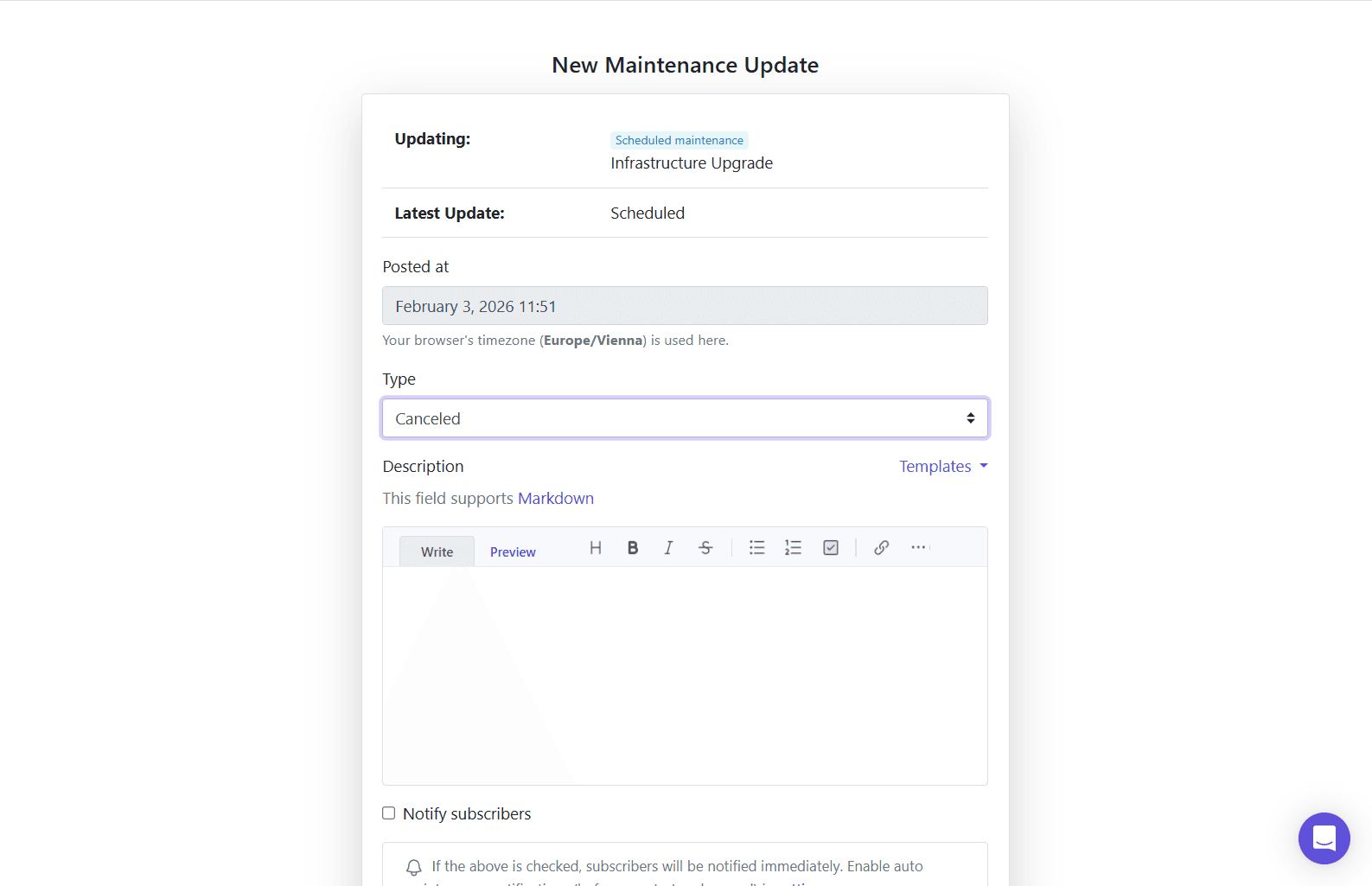
🛑 Cancel scheduled maintenance (new “Canceled” update type)
You can now cancel a scheduled maintenance without it affecting service status when the planned window starts.
When you post a Canceled update:
- the maintenance remains visible on the status page (as a past item),
- it no longer appears as active maintenance,
- it won’t automatically flip impacted services to Under maintenance, and
- any start/end auto-updates and notifications are canceled.
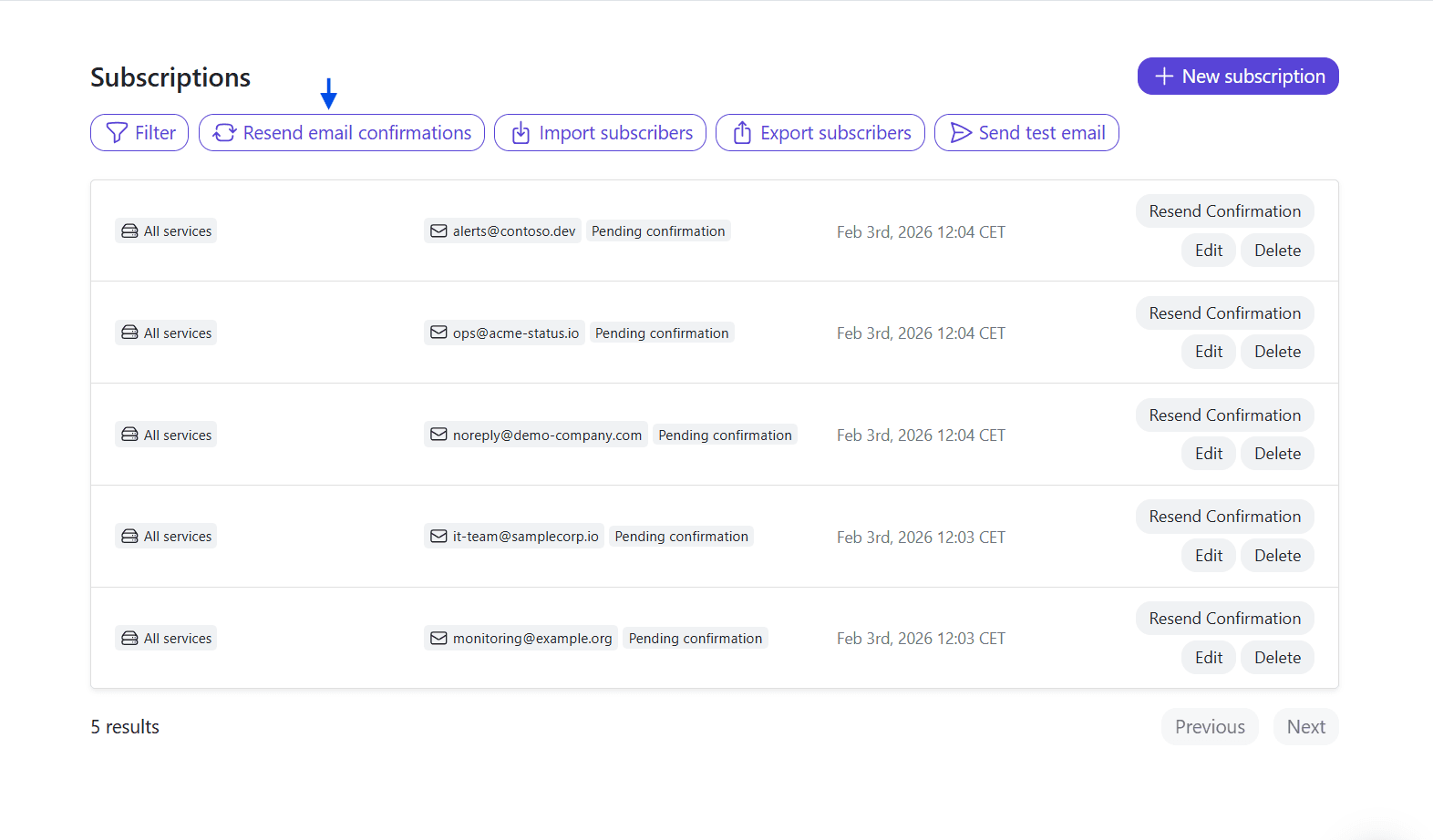
📩 Bulk resend confirmation emails to unconfirmed subscribers
If you have lots of pending confirmations, you can now resend confirmation emails in one click.
A new “Resend confirmation email” button sends confirmations to all subscribers who:
- haven’t confirmed yet, and
- haven’t been sent a confirmation email in the last 72 hours.
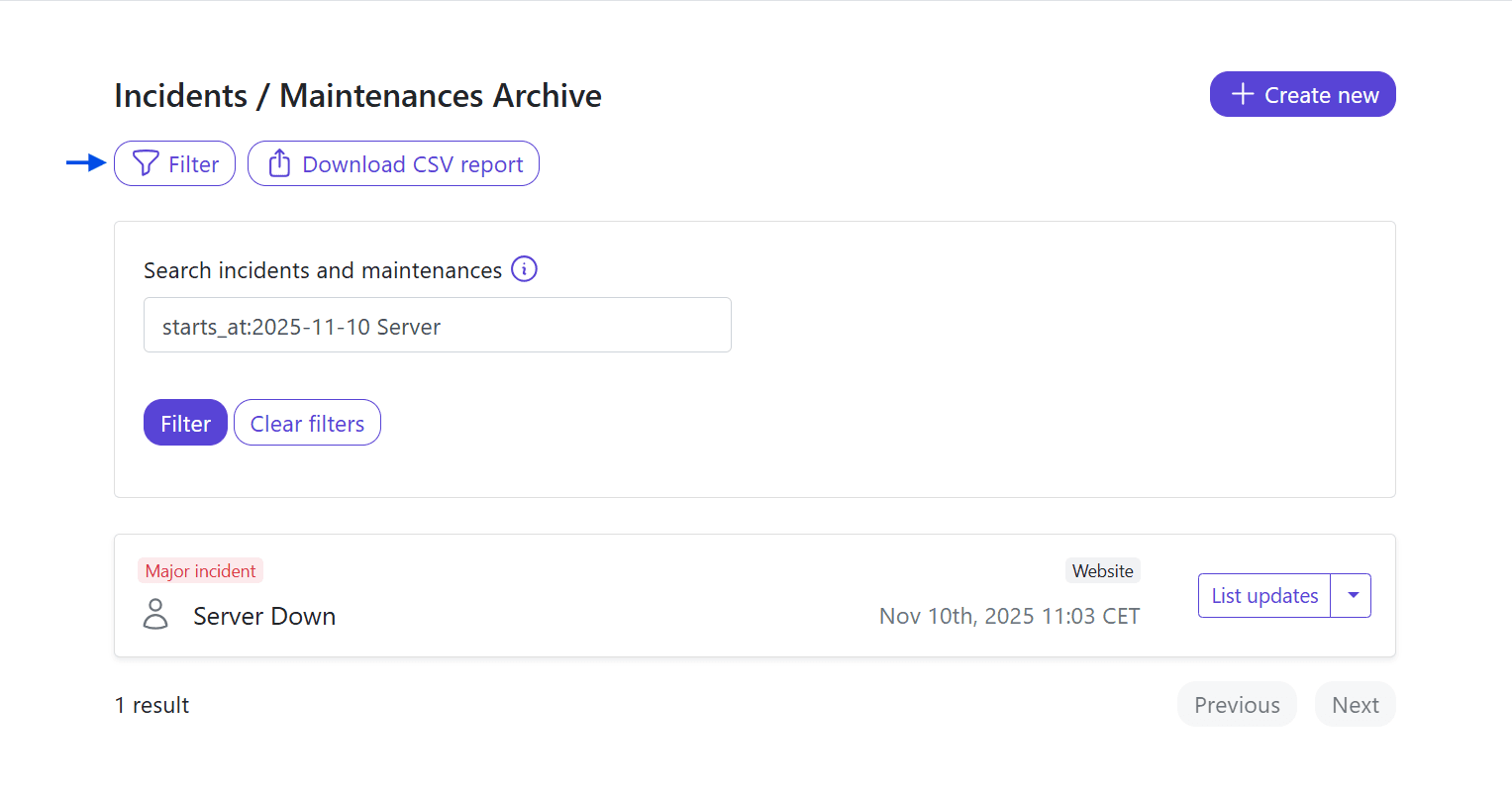
🔎 Faster incident & maintenance discovery with filtering
As your incident history grows, finding the right incident shouldn’t require scrolling through pages.
The Incidents & Maintenance admin list now supports searching and filtering by title and dates, including query-style filters like:
starts_at:2025-02-12 Infrastructure
🔗 Learn more in our filtering incidents & maintenance guide.
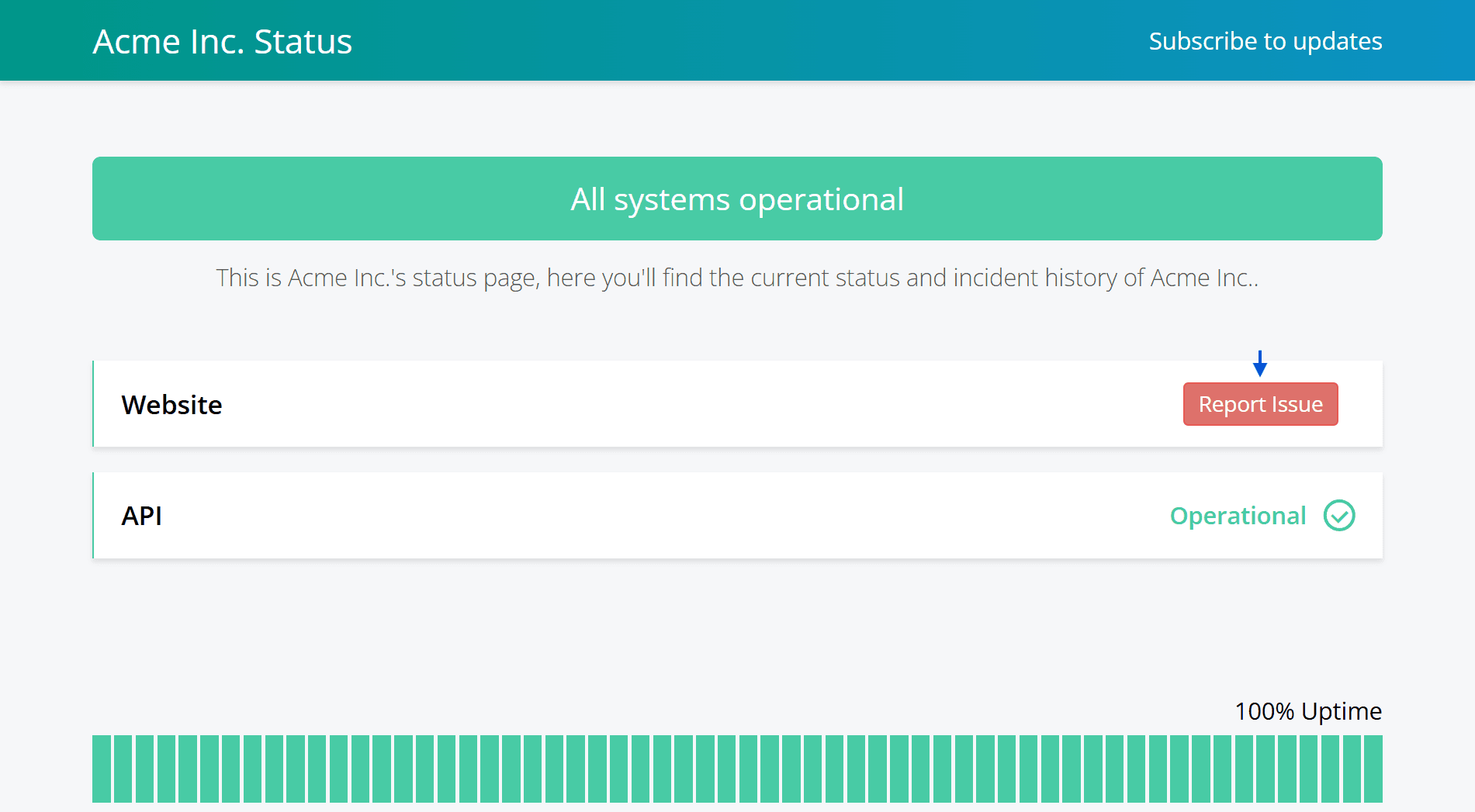
🆘 “Red button” on services to report issues via email
Status pages can now optionally show a quick “report an issue” action on services.
When enabled, hovering over an operational service reveals a red button that opens the visitor’s email client with a pre-filled subject/body referencing the status page and service.
🔗 Learn more in our service “red button” (beta) guide.
🔒 New custom domain configuration flow
We’ve revamped custom domain management to improve security and simplify our infrastructure by moving certificate and domain setup to upstream CDNs (protected by modern WAFs).
You can now choose your setup mode via a new dropdown:
- StatusPal subdomain with SSL
- Legacy custom domain with SSL (shown only if already in use)
- Custom domain with SSL
The new flow guides you through required DNS records and provides a setup status badge with a Refresh action until the domain becomes Active.
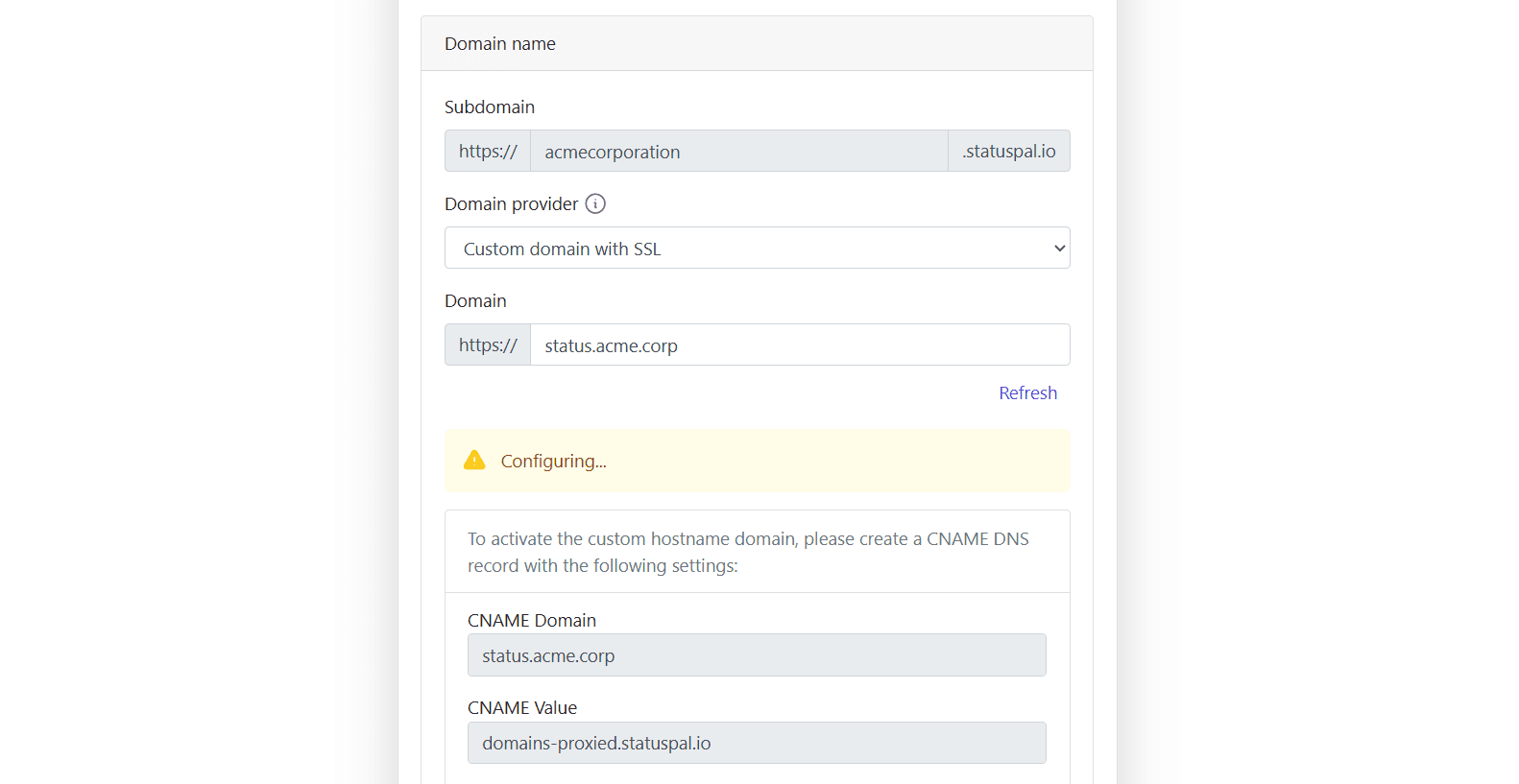
🔗 Learn more in our custom domain guide.
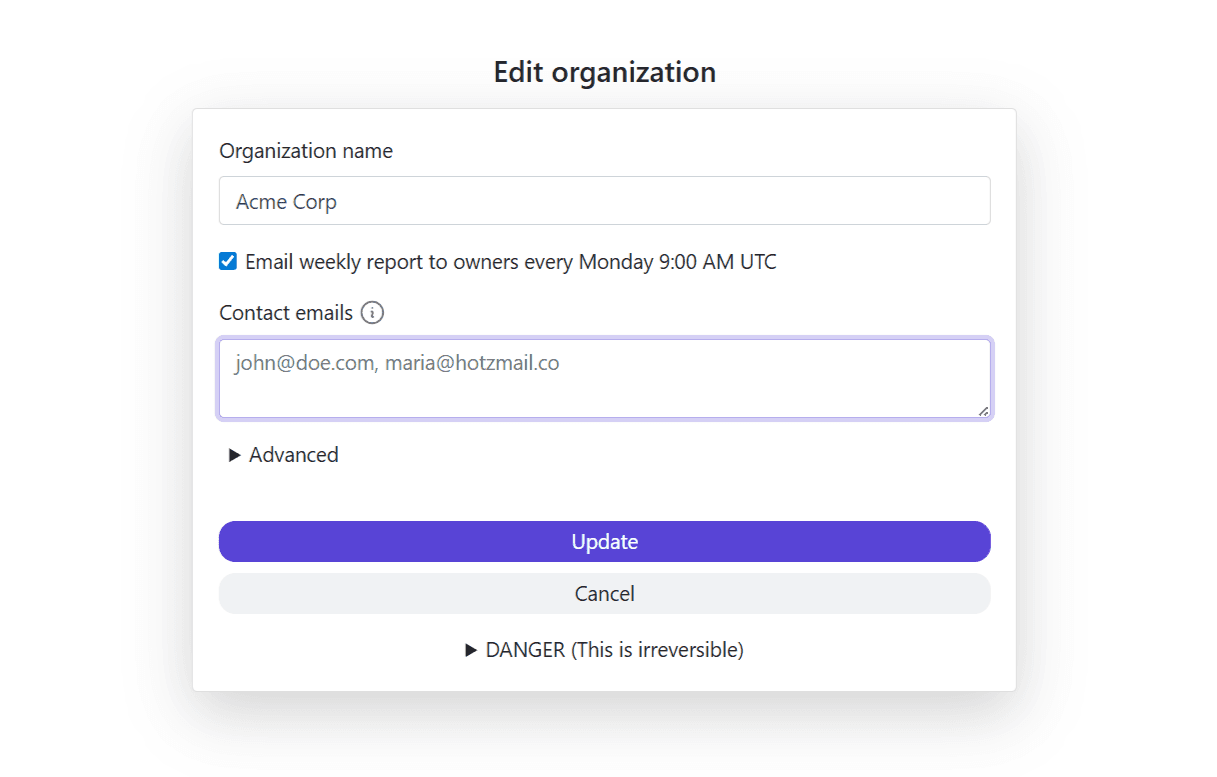
🏢 Organization “Contact emails”
You can now configure one or more contact emails at the organization level.
This is useful when notifications or administrative contact details shouldn’t rely on a single owner account.
🔌 Manage integrations via API
We’ve introduced an Integrations API endpoint to manage integrations programmatically — helpful for teams that automate status page setup and configuration.
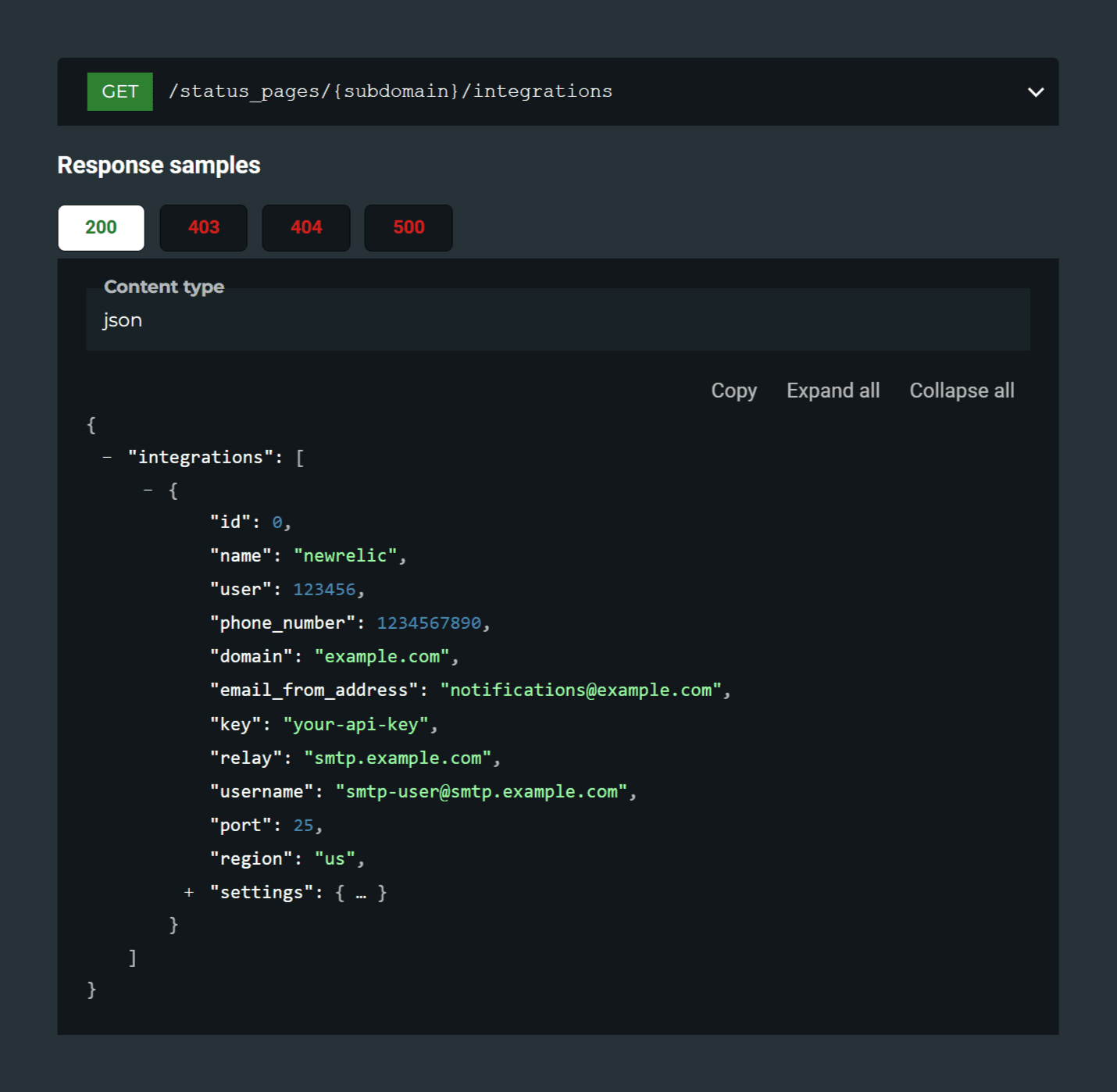
🔗 Learn more in our integrations API documentation.
Additional improvements ✨
🧰 Zabbix webhook auto-incidents (more reliable automation)
If you rely on Zabbix to trigger incidents automatically, you can now use webhook-based auto-incidents. This improves reliability compared to inbound email parsing and makes automated incident creation more predictable.
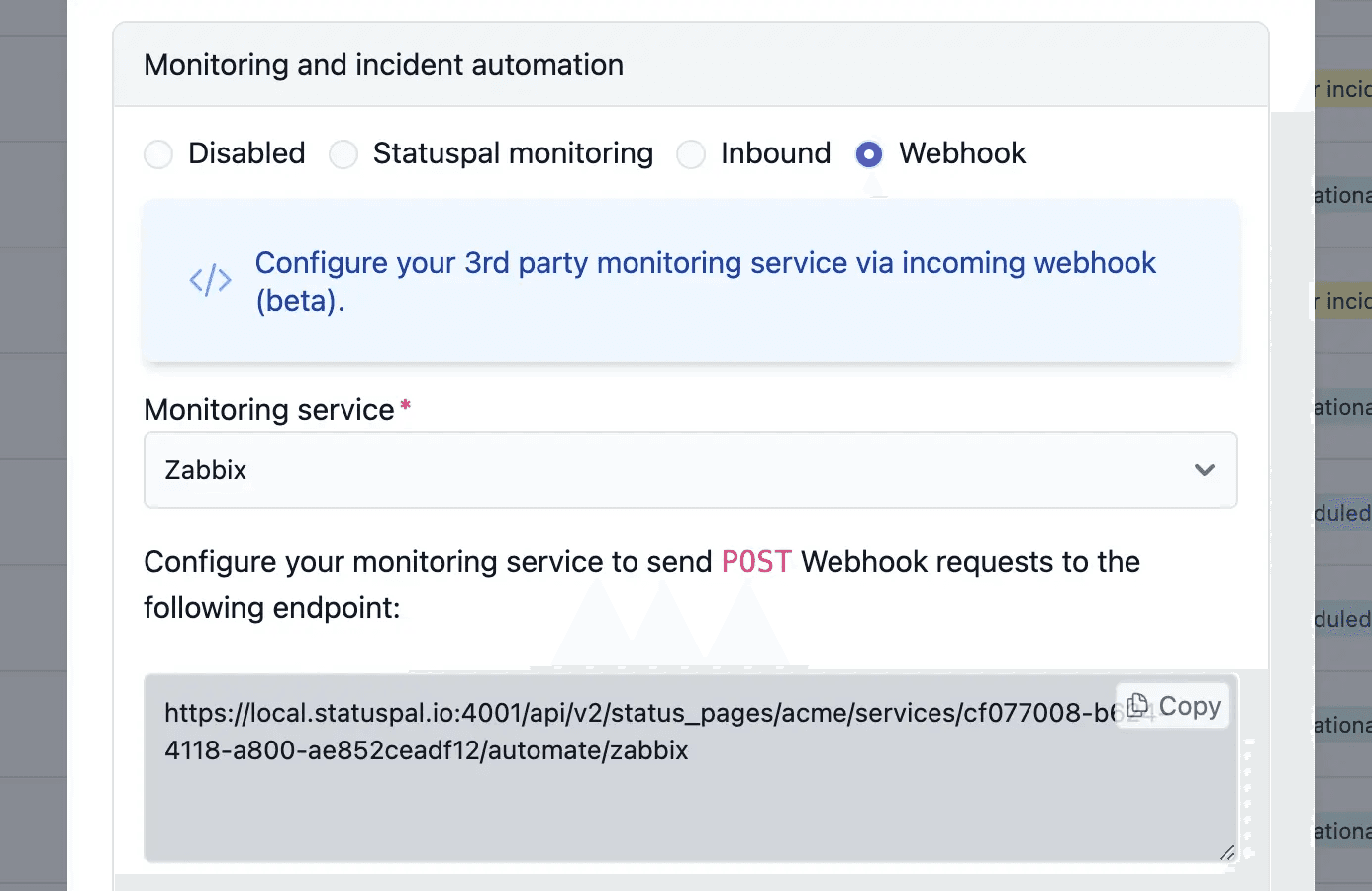
🔗 Learn more in our Zabbix guide.
🔔 Notification “types” filtering across more channels
“Types” filtering is now supported across more notification channels, making it easier to control which incident/maintenance types trigger notifications per channel.
(Feeds like iCal, Google Calendar, and RSS remain unchanged.)
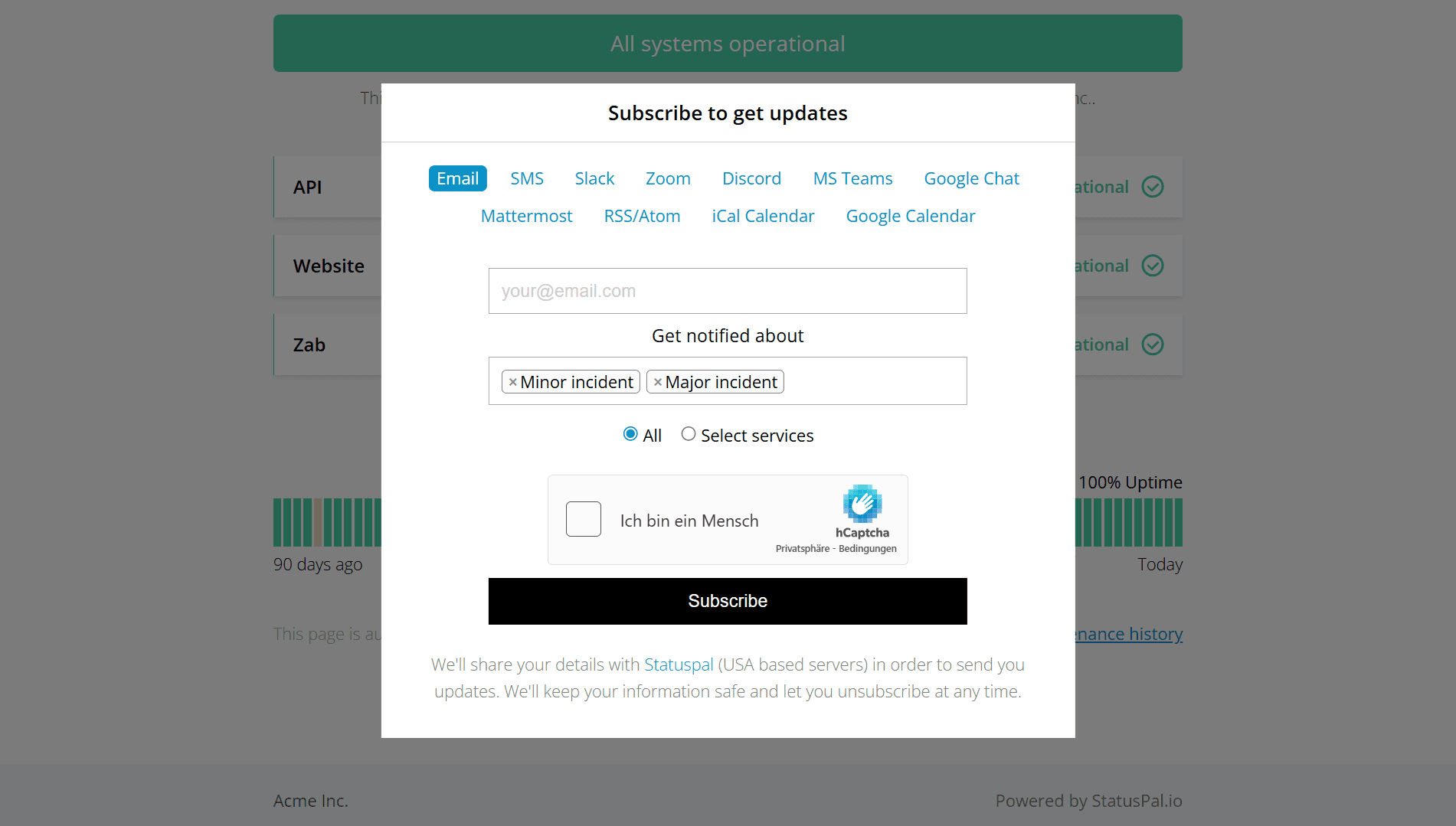
🔗 Learn more in our notifications guide.
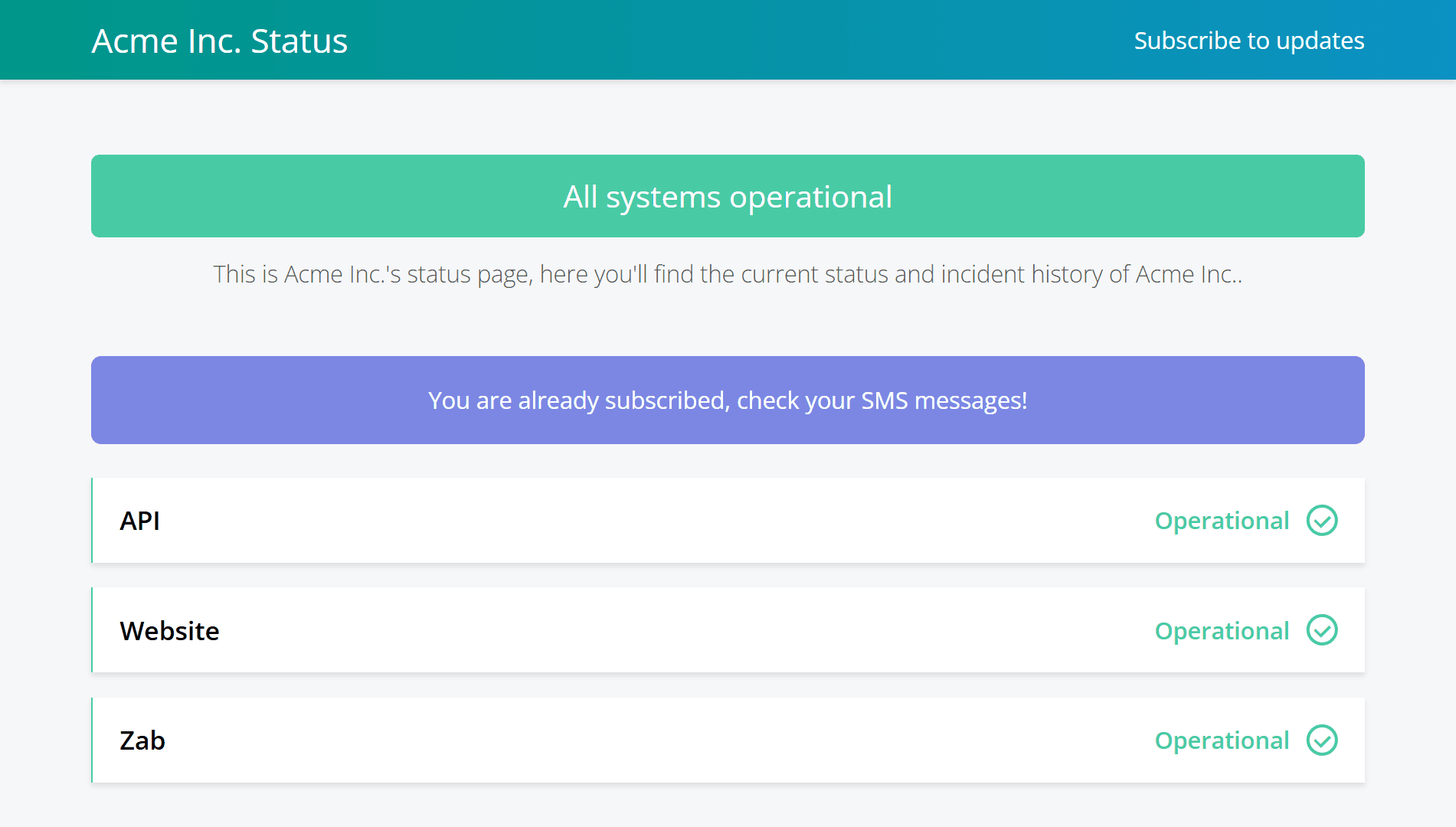
✅ Better UX when subscribing with an already-subscribed phone number
If someone tries to subscribe using a phone number that’s already subscribed, we now guide them forward instead of showing an error. They’ll see a success message (“You are already subscribed, check your SMS messages!”) and we’ll also send an SMS notification immediately.
📊 Incidents CSV export now includes more fields
When exporting incidents and maintenance to CSV, the export now includes additional columns to make reporting and audits easier:
- Incident type key
- Private note

Notable Improvements 🚀
🧭 Less admin busywork
- Bulk resend confirmation emails removes repetitive clicking when cleaning up large subscriber lists.
- Incident & maintenance filtering makes it much faster to find the right item as your history grows.
- Incidents CSV exports now include additional fields (incident type key + private notes) to make reporting and audits easier.
🛡️ More resilient and secure infrastructure
- Custom domain setup now integrates with upstream CDNs, reducing moving parts and improving protection with modern WAF infrastructure.
- Zabbix now supports webhook-based auto-incidents for more reliable automation than inbound email parsing.
📣 Clearer communication without unintended side effects
- The new Canceled maintenance update type keeps transparency on your status page without unexpectedly changing service status when the original window arrives.
- If someone subscribes using a phone number that’s already subscribed, we now guide them forward instead of showing an error, and send an SMS immediately.
- “Types” filtering is now supported across more notification channels (excluding feeds like iCal / Google Calendar / RSS), giving you more control over who gets notified via which channel.